1. Overview
a. This guide describes the deployment of the DeepSeek-671B model across two servers, each equipped with 8x NVIDIA L20 GPUs. The technology stack utilizes Docker for containerization, the vLLM high-performance inference engine, and the Ray distributed computing framework.
b. Official Documentation: vLLM-Distributed
c. The official tutorial involves complex steps requiring frequent switching between multiple SSH sessions. To simplify the process, this article consolidates and optimizes the official workflow into a systematic, one-stop deployment guide.
2. Prerequisites
a. Install the following on both servers: Docker, NVIDIA Drivers, and the NVIDIA Container Toolkit.
b. Confirm the network hardware configuration of both servers (consult your hardware vendor if necessary). Use ifconfig and ping to verify network connectivity.
c. Download the DeepSeek-671B model files and the vLLM Docker image to both servers. This example uses DeepSeek-V3.
3. Network Configuration
Confirm your server’s network settings and adjust the environment variables in the Docker Compose file accordingly:
# IB (InfiniBand) Network Verification:
ibv_devinfo
# "No IB devices found" means no IB hardware is present.
# "Link layer: Ethernet" means the card is RoCE, not IB.
# "Link layer: InfiniBand" means an IB network is available.

# If you need to disable IB (due to missing hardware or inconsistency):
NCCL_IB_DISABLE=1        # Disable IB
NCCL_IBEXT_DISABLE=1     # Disable RoCE

# If IB is available, configure as follows (adjust interface names as needed):
- NCCL_SOCKET_IFNAME=bond0
- GLOO_SOCKET_IFNAME=bond0
- NCCL_IB_HCA=mlx5_0,mlx5_3
- NCCL_IB_TIMEOUT=22
- NCCL_IB_DISABLE=0
- NCCL_DEBUG=INFO

# If IB is NOT available, configure as follows:
- GLOO_SOCKET_IFNAME=bond0
- NCCL_SOCKET_IFNAME=bond0
- NCCL_IB_DISABLE=1
- NCCL_IBEXT_DISABLE=1
- NCCL_DEBUG=INFO
4. Ray Framework Setup
Ray requires a Head Node and a Worker Node. Prepare the Docker Compose files on each server:
# Define Variables:

# Head Node:
VLLM_HOST_IP             # Local IP
RAY_PORT                 # Local Ray port (distinct from the model service port)
VOLUME_DS_RAY            # Local path for Ray logs (optional)
VOLUME_DS_V3_MODEL_PATH   # Local path to model weights

# Worker Node:
VLLM_HOST_IP             # Local IP
RAY_HEAD_IP              # IP of the Head Node (matches Head Node's VLLM_HOST_IP)
RAY_PORT                 # Port used by the Head Node (matches Head Node's RAY_PORT)
VOLUME_DS_RAY            # Local path for Ray logs (optional)
VOLUME_DS_V3_MODEL_PATH   # Local path to model weights

# --- Head Node Configuration ---
  node-head-ds-v3:
    image: vllm/vllm-openai:v0.11.0
    container_name: node-head-ds-v3
    entrypoint: ["/bin/bash", "-c", "ray start --block --head --node-ip-address=${VLLM_HOST_IP} --port=${RAY_PORT}"]
    network_mode: host
    privileged: true
    shm_size: 64g
    deploy:
      resources:
        reservations:
          devices:
            - driver: nvidia
              capabilities: [gpu]
              device_ids: ['0', '1', '2', '3', '4', '5', '6', '7']
    volumes:
      - ${VOLUME_DS_V3_PATH}:/ds-v3
      - ${VOLUME_DS_V3_PATH}/ray:/tmp/ray
      - ${VOLUME_DS_V3_MODEL_PATH}:/models
    environment:
      - NCCL_IB_HCA=mlx5_0,mlx5_3
      - NCCL_SOCKET_IFNAME=bond0
      - GLOO_SOCKET_IFNAME=bond0
      - NCCL_DEBUG=INFO
      - VLLM_HOST_IP=${VLLM_HOST_IP}
      - NCCL_IB_TIMEOUT=22
      - NCCL_IB_DISABLE=0

# --- Worker Node Configuration ---
  node-worker-ds-v3:
    image: vllm/vllm-openai:v0.11.0
    container_name: node-worker-ds-v3
    entrypoint: ["/bin/bash", "-c", "ray start --block --address=${RAY_HEAD_IP}:${RAY_PORT}"]
    network_mode: host
    privileged: true
    shm_size: 64g
    deploy:
      resources:
        reservations:
          devices:
            - driver: nvidia
              capabilities: [gpu]
              device_ids: ['0', '1', '2', '3', '4', '5', '6', '7']
    volumes:
      - ${VOLUME_DS_V3_PATH}:/ds-v3
      - ${VOLUME_DS_RAY}/ray:/ds-v3/tmp/ray
      - ${VOLUME_DS_V3_MODEL_PATH}:/models
    environment:
      - GLOO_SOCKET_IFNAME=bond0
      - NCCL_SOCKET_IFNAME=bond0
      - VLLM_HOST_IP=${VLLM_HOST_IP}
      - NCCL_IB_HCA=mlx5_0,mlx5_3
      - NCCL_IB_TIMEOUT=22
      - NCCL_IB_DISABLE=0
5. Launching the Cluster and Service
Start the containers on both nodes, enter the Head Node container, verify the Ray cluster status, and launch the service.
# Start Head Node
docker compose up -d node-head-ds-v3

# Start Worker Node
docker compose up -d node-worker-ds-v3

# Enter Head Node container:
sudo docker exec -it node-head-ds-v3 bash

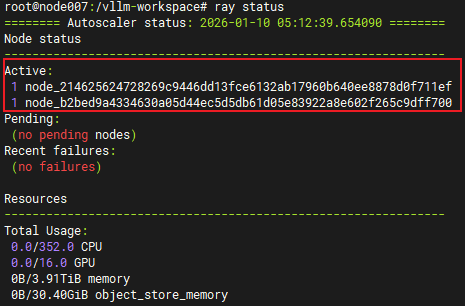
# Check Ray cluster status:
ray status

# Note: The Head and Worker nodes must communicate.
# You may need to open firewall restrictions on the Worker node (optional):
sudo ufw allow from $VLLM_HEAD_IP

# If you see "2 Active Nodes", the connection is successful.
# Launch vLLM service (adjust parameters as needed):
vllm serve /models \
  --host 0.0.0.0 \
  --port 20000 \
  --trust-remote-code \
  --served-model-name deepseek-671b-v3 \
  --gpu-memory-utilization 0.8 \
  --max-model-len 65536 \
  --tensor-parallel-size 8 \
  --pipeline-parallel-size 2 \
  --enable-chunked-prefill \
  --max_num_batched_tokens 2048

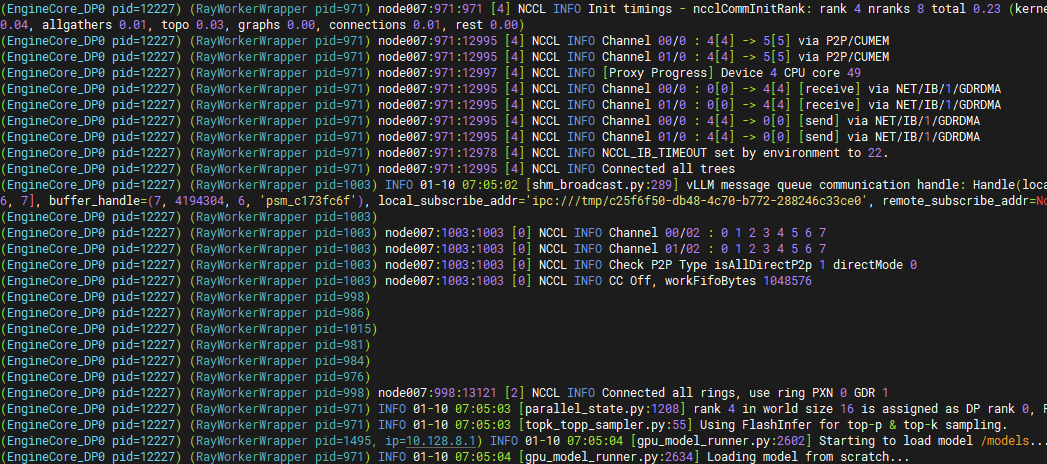
# If the following appears in the logs, the service is using the IB network.
6. Verification and Throughput Check
curl http://{your-ip}:{your-port}/v1/chat/completions \
  -H "Content-Type: application/json" \
  -d '{
    "model": "deepseek-671b-v3",
    "messages": [
      {"role": "system", "content": "You are a helpful technical assistant."},
      {"role": "user", "content": "Explain what Dameng Database is and provide installation steps."}
    ],
    "temperature": 0.7,
    "max_tokens": 2048
  }'

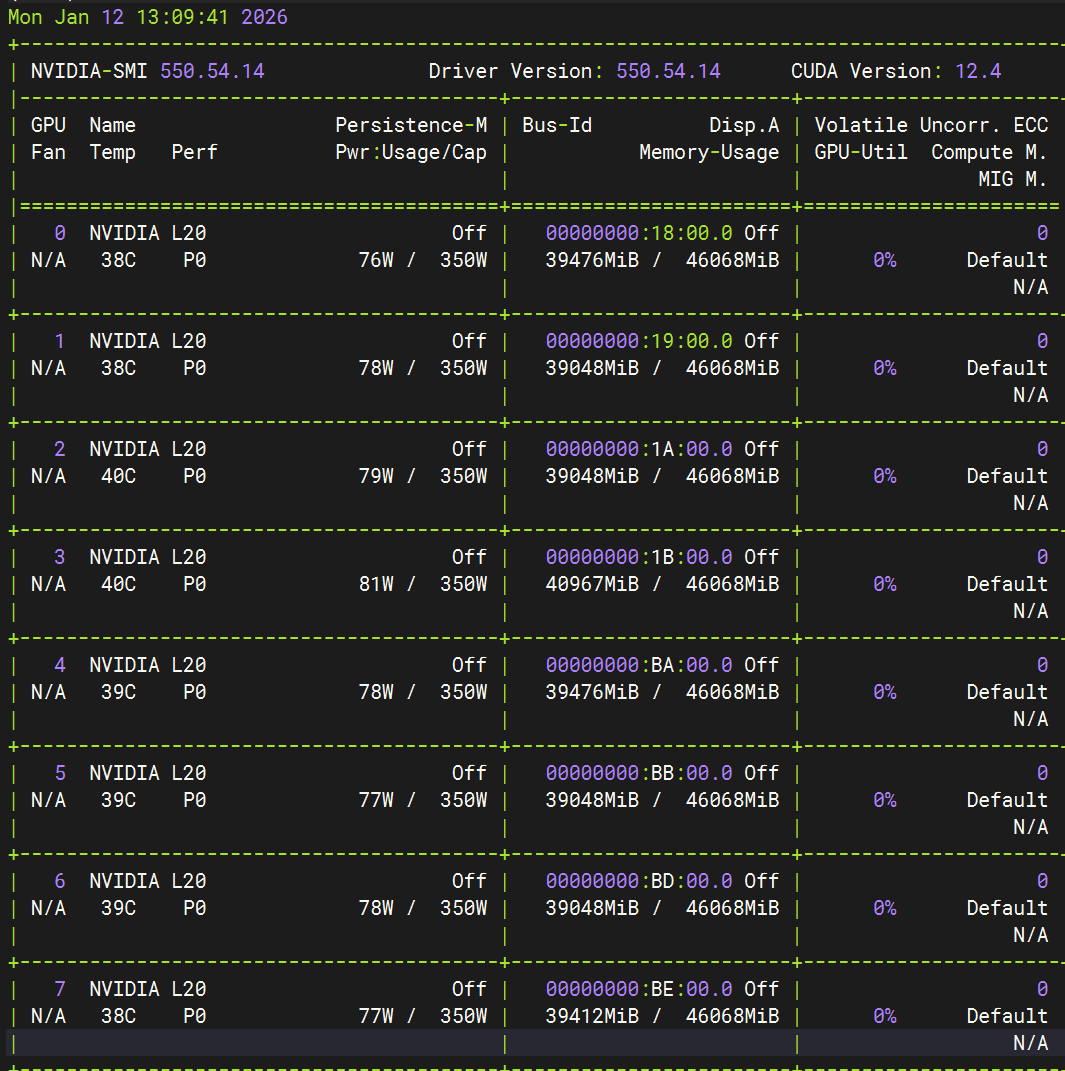
7. Monitor GPU Usage
nvidia-smi
8. Benchmarking (Requires llmperf)
export OPENAI_API_BASE="http://{your-ip}:{your-port}/v1"

python token_benchmark_ray.py \
--model "deepseek-671b-v3" \
--mean-input-tokens 550 \
--stddev-input-tokens 150 \
--mean-output-tokens 150 \
--stddev-output-tokens 10 \
--max-num-completed-requests 10 \
--timeout 600 \
--num-concurrent-requests 1 \
--results-dir "result_outputs" \
--llm-api openai \
--additional-sampling-params '{}'