Content
This article introduces the usage of Z-Image-Turbo in conjunction with ComfyUI.
Advantages of Z-Image-Turbo:
- Strong Chinese prompt-following and Chinese character generation capabilities.
- Requires only 8 inference steps for image generation. With a compact 6B parameter count, it can run on consumer-grade hardware (16GB VRAM) using quantization.
Due to network restrictions in certain regions that prevent the use of ComfyUI-Manager for automatic downloads, all file downloads are provided for manual installation.
Prerequisites
Configure ComfyUI. You will need to install ControlNet components. Additionally, you can install the llama-cpp-vlm extension to enable image-to-text interrogation based on Qwen3-VL. To view the generated text output, install comfyUI-custom-scripts.
Note: The download link for the llama-cpp-python.whl plugin required by Llama-cpp-vlm is listed below along with the Qwen3-VL model download link.
Model Download Summary
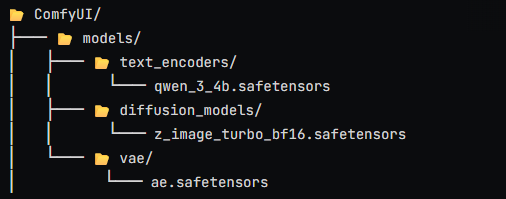
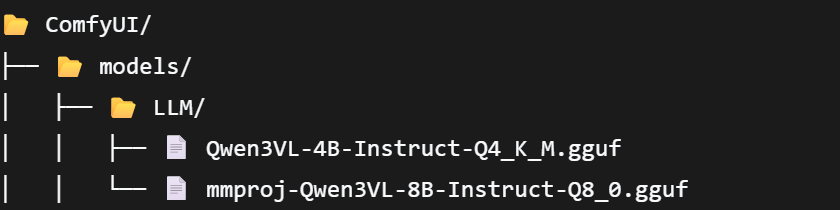
- Z-image-turbo Triad: The download link includes both full-precision and quantized versions. During execution, you can select the quantized versions for
diffusion_modelsandtext_encodersto minimize VRAM usage. Place them into the ComfyUI directory as shown in the image: Download Link
- ControlNet Base Model: ** Download Link**

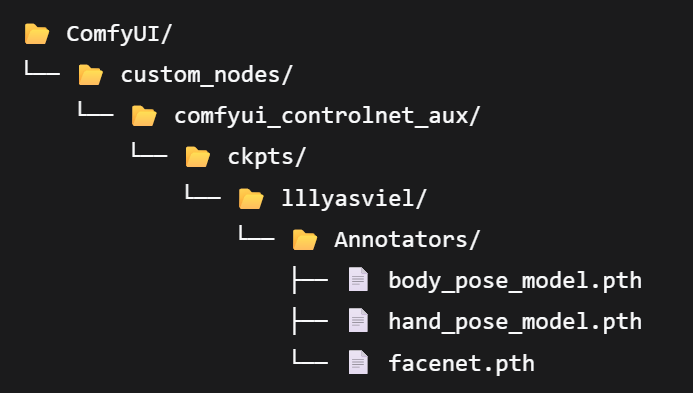
- ControlNet Human Pose Control Model: Requires
body_pose_model.pth,hand_pose_model.pth, andfacenet.pth: Download Link
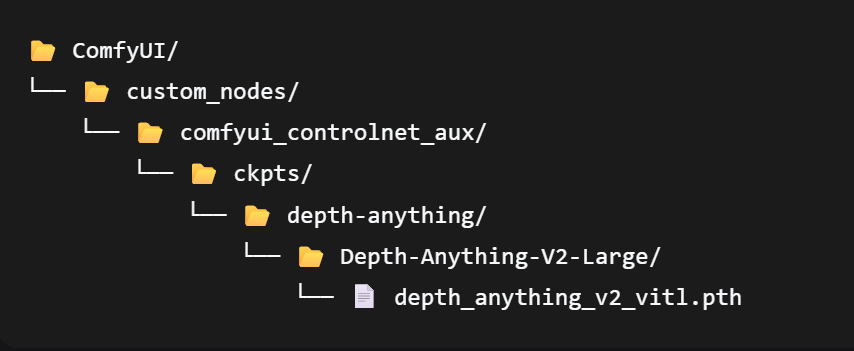
- ControlNet Depth Control Model: Download Link
- Qwen3-VL Model + Wheel files for required plugins: Download Link and Wheel Download Please verify your system version and Python version before downloading.
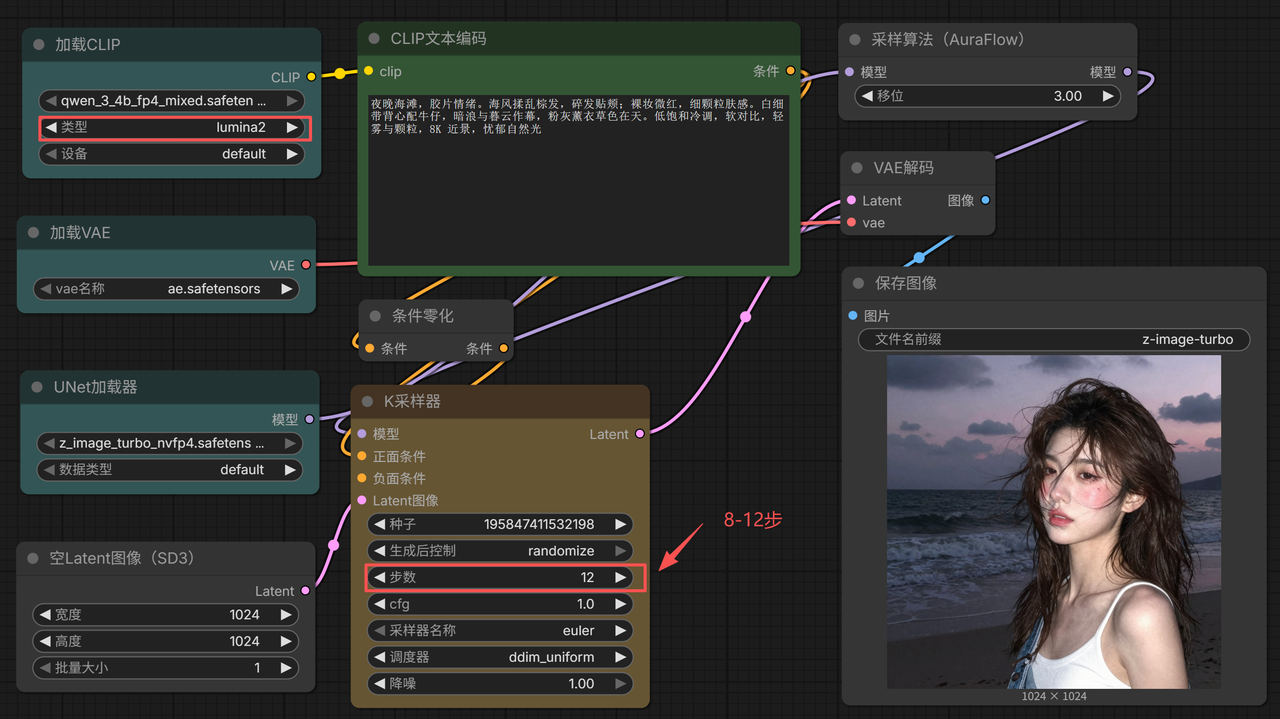
Common Workflow Setups
- Text-to-Image (txt2img)
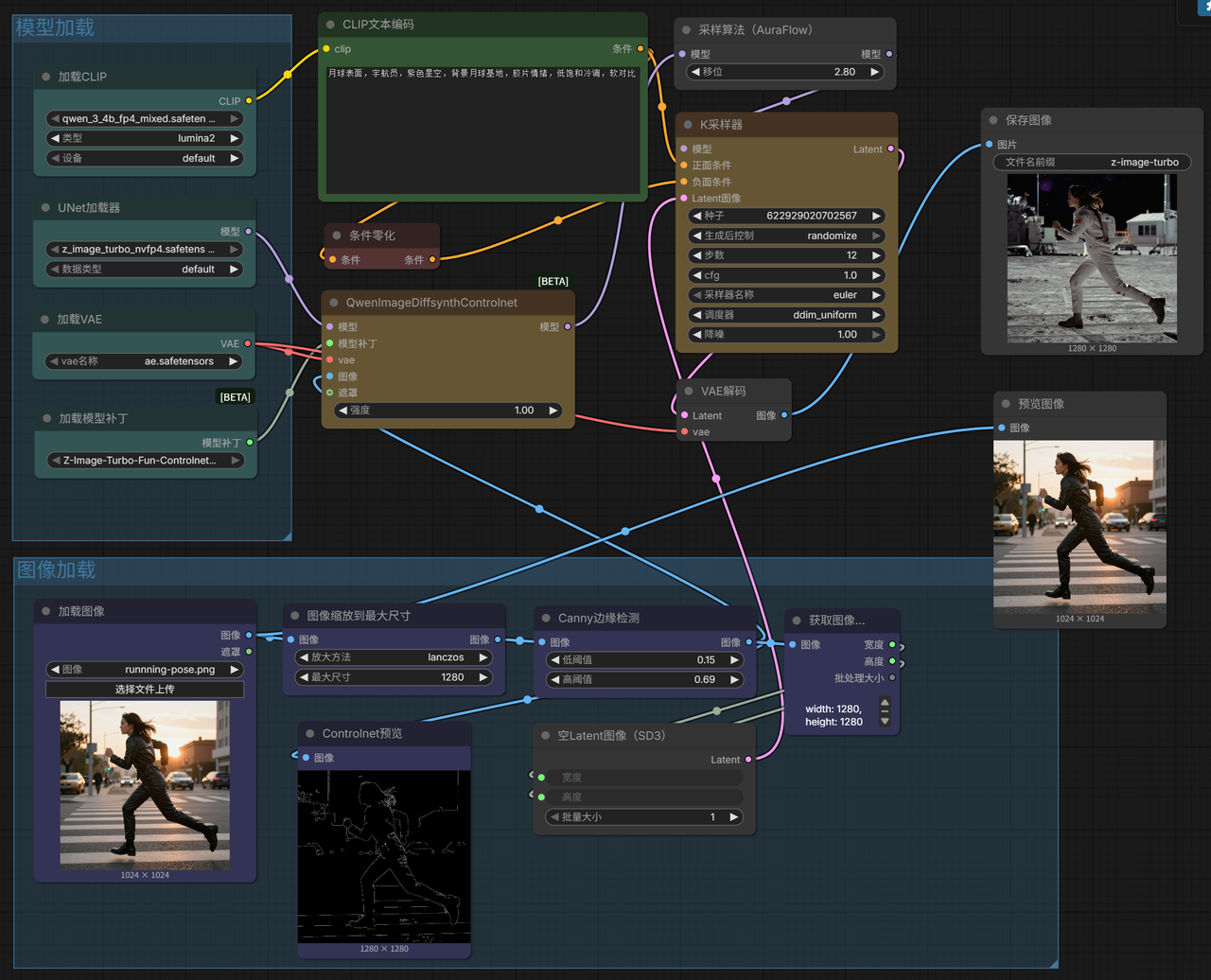
- Image-to-Image (Canny Edge Detection)
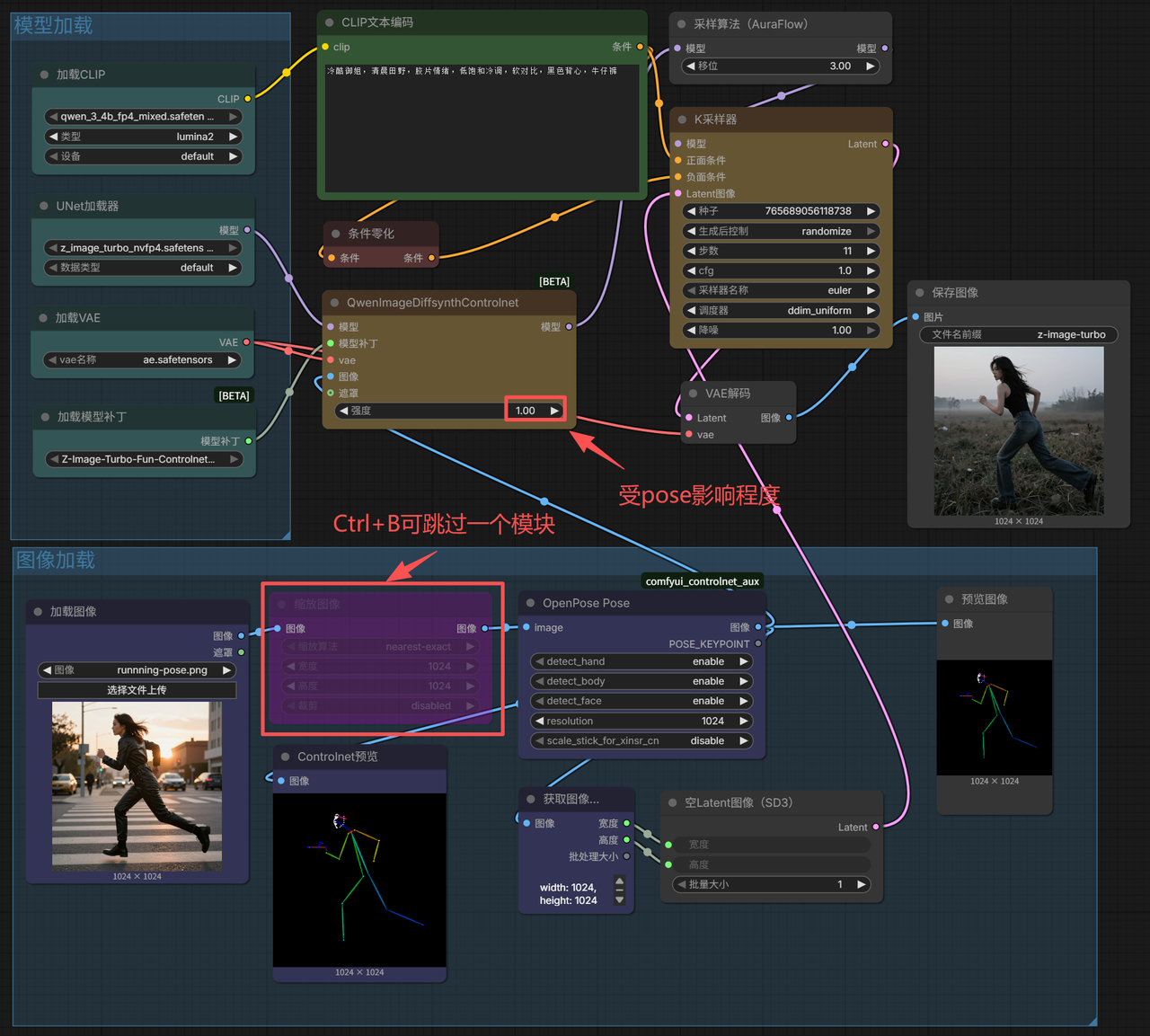
- Image-to-Image (Human Pose Detection)
- Image-to-Image (Depth Detection)
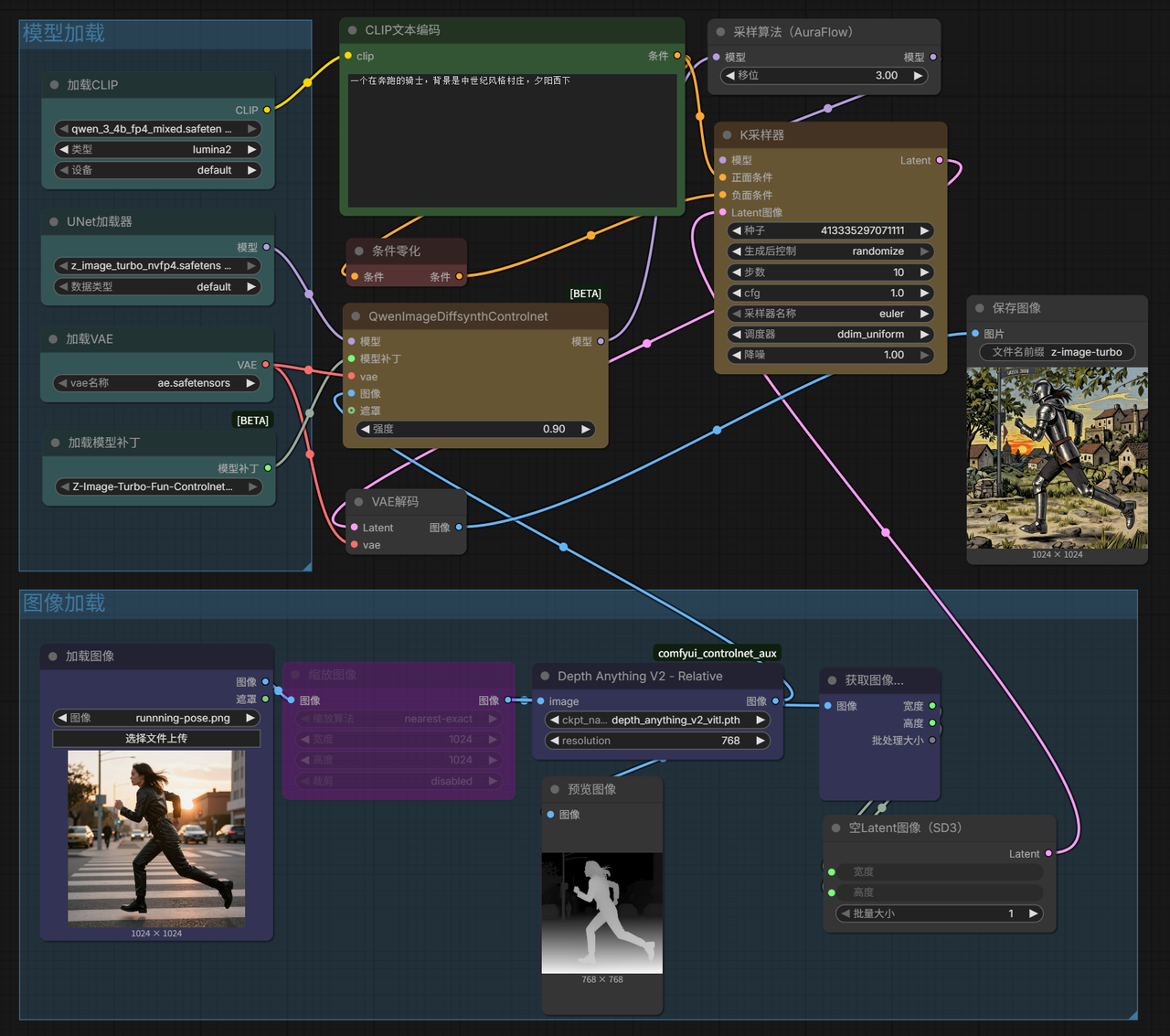
- Image-to-Image (Inpainting / Masked Generation)
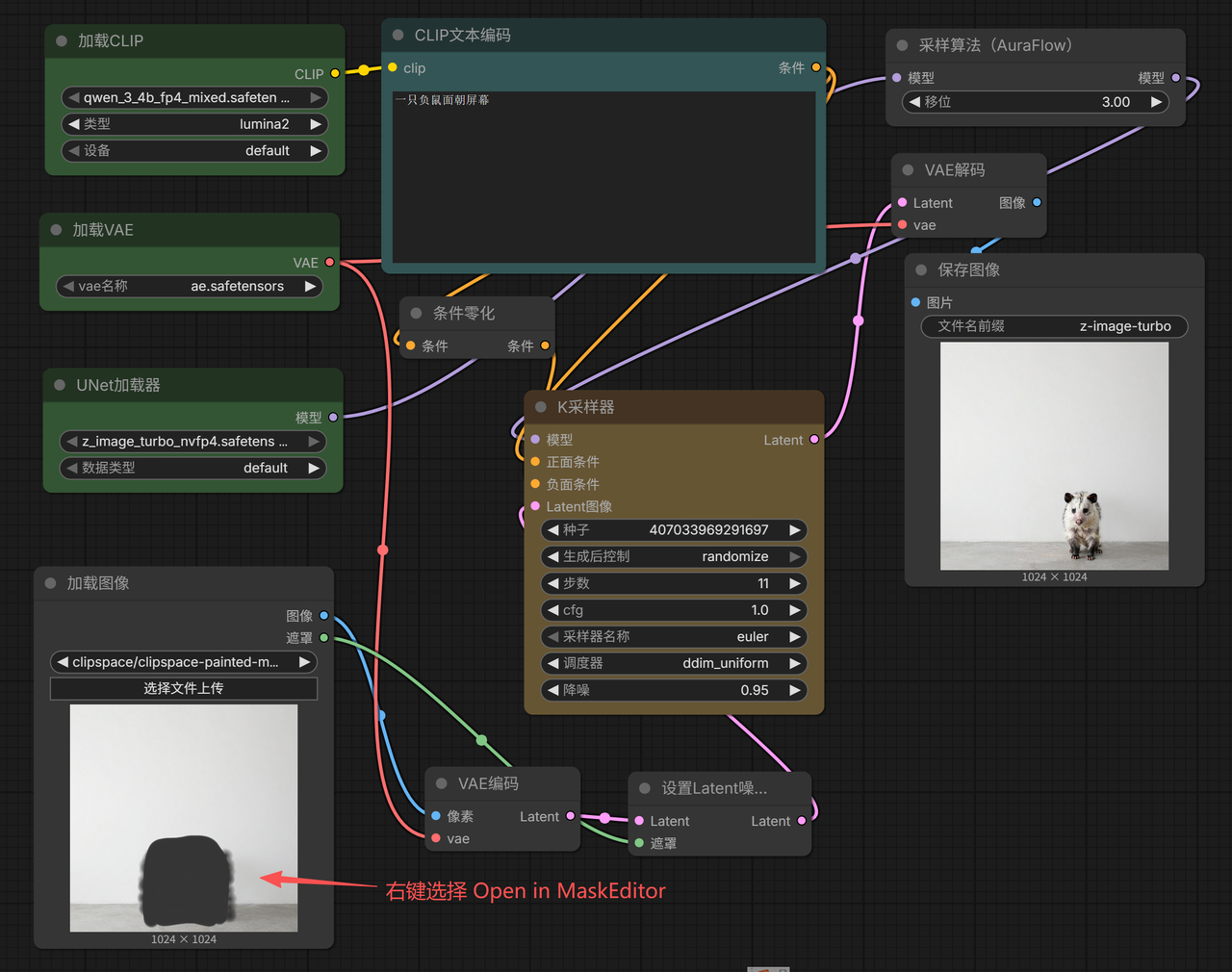
- Qwen3-VL Interrogation to Text-to-Image
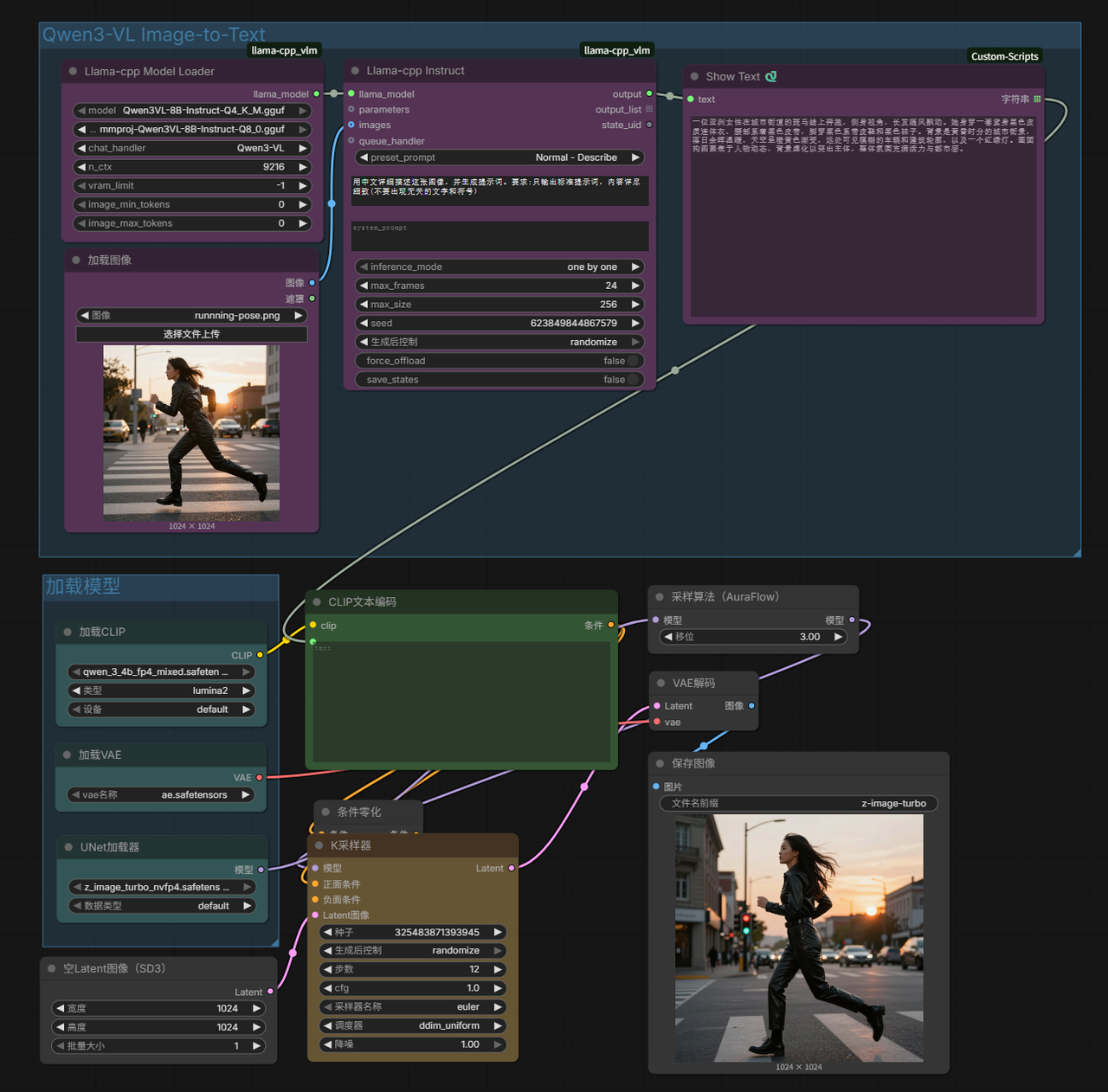
Ready-to-Use Image Workflow Templates (Import directly after downloading)
- Basic Version

- ControlNet Version
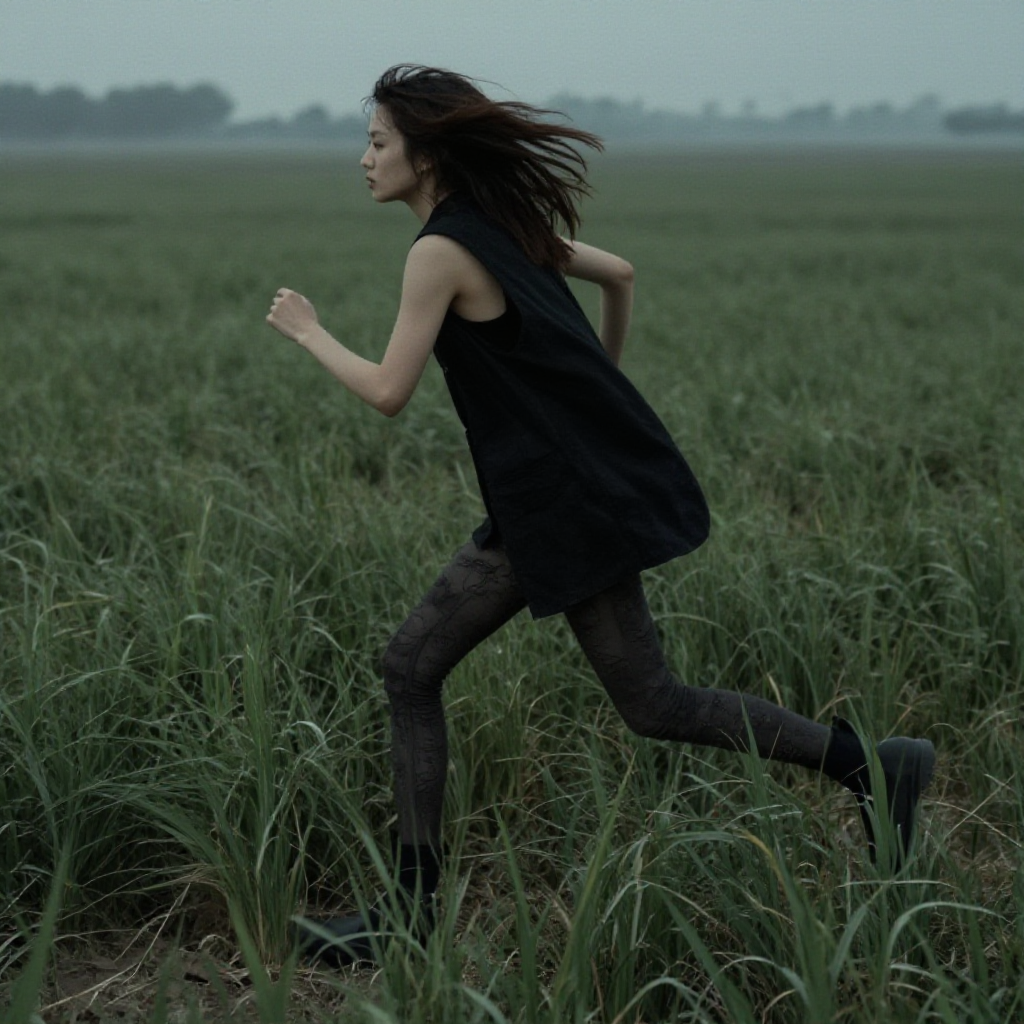
- Qwen3-VL Interrogation Version